

Best Rechargeable Desk Fan for Home & Office: What to Know
Time : Sep 24, 2026 View : 50
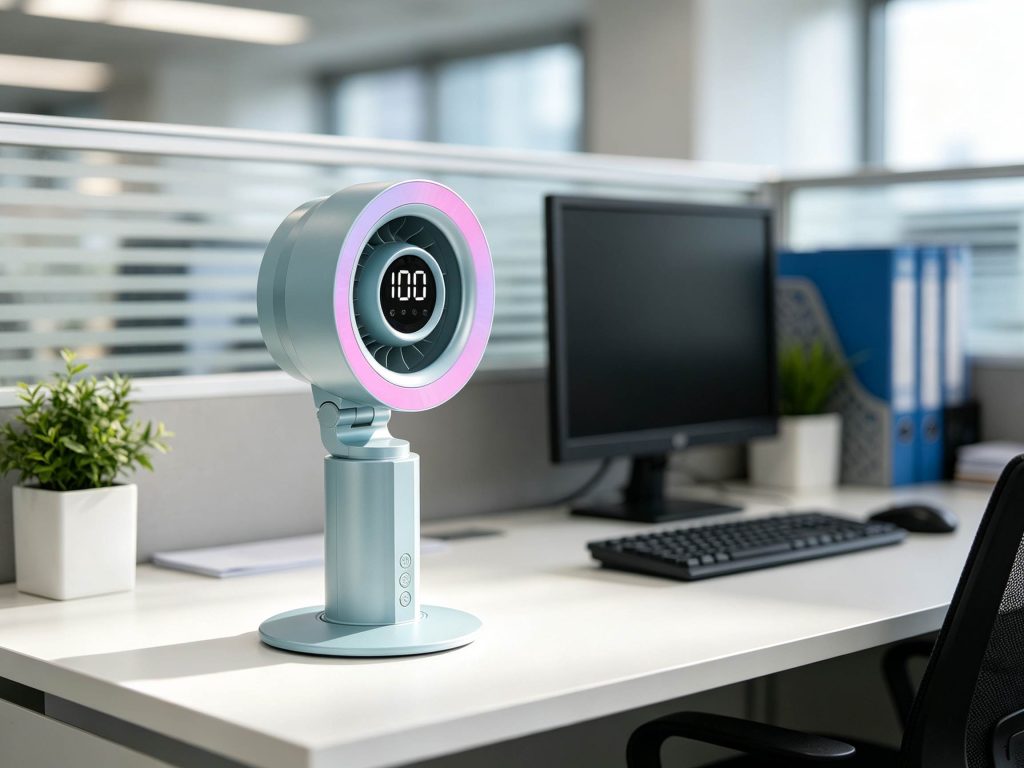
Choosing the right rechargeable desk fan requires more than comparing battery capacity or wind speed. A fan that provides adequate airflow for a desktop workspace may not be equally suitable for a nightstand, bedroom, or study area. At HUAZENG, we handle the R&D, design, manufacturing, and sales of LED desk lamps, Bluetooth light speakers, and small home appliances. A proper rechargeable desk fan needs to offer steady airflow and solid battery life. It should also run quietly and be easy to operate in the exact spot you plan to use it.
What Makes a Good Rechargeable Desk Fan?
Battery Life and Daily Runtime
Battery size is important, but the real-world runtime matters a lot more. A reliable rechargeable fan must handle standard work, study, or rest times without needing constant plug-ins.
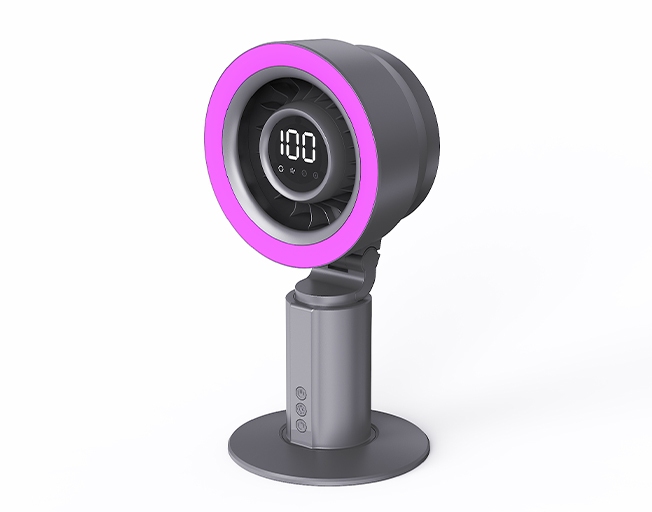
The HZ-Z12 | Desktop Fan comes with a 4000mAh rechargeable battery. It provides an estimated operating time of approximately 4–10 hours, depending on the selected fan speed and lighting mode. The fan has a rated charging input of DC 5V/2A, and the estimated charging time is approximately 3–4 hours.
Airflow and Speed Options
The HZ-Z12 | Desktop Fan features five distinct wind speeds. This allows people to pick a gentle airflow for close-range use or stronger airflow when additional cooling is required.
Noise and User Comfort
Sound levels are highly important in workspaces, bedrooms, and study rooms. The HZ-Z12 | Desktop Fan delivers powerful air movement alongside low-noise operation. This makes it a great fit for spots where focus or sleep is the main priority.
How Much Battery Life Do You Need?
Understanding Battery Capacity
A bigger mAh rating does not guarantee a better fan. Actual runtime depends on factors such as motor power consumption, operating speed, LED usage, battery capacity, and overall system efficiency.
Matching Runtime to Daily Use
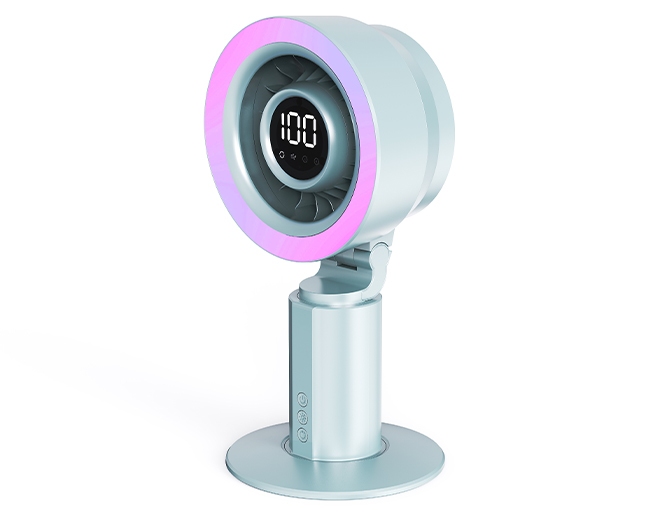
The HZ-Z12 | Desktop Fan is rated for roughly 4–10 hours of use. This changes based on the wind speed and lighting mode. That time span easily handles brief work tasks, evening relaxation, or several hours of wire-free personal cooling.
Balancing Speed and Battery Life
Faster wind settings drain more power than slower ones. For nearby desk cooling, a low setting often brings enough comfort. It also helps stretch out the battery life. Meanwhile, you can save the higher speeds for much warmer moments.
Choose the Right Airflow and Speed
Low Speeds for Personal Cooling
At a short distance, a very strong wind is not always pleasant. Lower speeds offer a gentle breeze for reading, typing, or studying. Lower airflow settings are generally more suitable for close-range use, where excessive airflow may be uncomfortable or disturb lightweight desk materials.
Higher Speeds for Hotter Spaces
Stronger modes are quite handy when the heat goes up. They also help if the fan sits further away. A desk fan is primarily designed for personal cooling and localized air circulation rather than whole-room temperature reduction. Because of this, you should judge the airflow based on your immediate working space.
Why Multiple Speeds Matter
Having five adjustable speeds on the HZ-Z12 | Desktop Fan gives you more freedom than a single fixed option. It allows one fan to work well across various home and office setups. A gentle breeze might be fine in the morning. Then, you can switch to a stronger blast as the day gets hotter.
Consider Noise and Desk Comfort
Quiet Cooling for Office Work
A quiet desk fan for office tasks should aid focus. It must not interfere with meetings, phone calls, or computer sounds. Adjustable speeds are very handy here. You can pick the lowest comfortable setting whenever keeping quiet is the main goal.
Comfort for Bedroom Use
Using a fan in the bedroom brings up another issue: light. The HZ-Z12 | Desktop Fan features four RGB ambient-lighting modes. Users can switch between four RGB lighting modes or turn the lighting off completely. This lets you decide if you want a decorative glow at night.
Easy Controls for Daily Use
The fan uses touch controls to adjust fan speed and switch between lighting modes. Having quick access to these options is very convenient. It helps a lot when the fan rests nearby on a work desk, study table, or nightstand.
Check Portability and Charging
Benefits of Cordless Operation
Running without a cord lets you move the fan easily. You can shift it between a home office, bedroom, study desk, dorm, or temporary work area.
Why USB Charging Matters
The HZ-Z12 | Desktop Fan is USB rechargeable. It comes with a USB charging cable in the box. This setup makes daily charging much easier.
Choosing a Compact Desk Design
A desk fan needs to provide good airflow without taking up your whole workspace. The HZ-Z12 features a compact desktop design with a stable base. It uses durable ABS and metal materials to ensure it lasts.
Its suggested uses cover office desks, bedrooms, study rooms, nightstands, dorms, apartments, makeup tables, travel, and temporary work spots.
Is HZ-Z12 Right for Your Space?
HZ-Z12 for Office Desks
For the office, the HZ-Z12 | Desktop Fan brings together five wind speeds, low-noise operation, touch controls, USB charging, and cordless use. You can keep the fan nearby for direct airflow. Then, you can easily change the speed as your working needs shift.
HZ-Z12 for Home Use
At home, the wire-free setup lets you carry the fan from room to room. HUAZENG highlights bedrooms, living rooms, study spots, makeup tables, and apartments as ideal places. It is well suited to a range of compact indoor personal-cooling spaces.
HZ-Z12 for Bedrooms and Study Areas
The combination of adjustable airflow and optional RGB lighting allows the fan to function as both a cooling device and a desktop ambient-lighting accessory. Instead, you can adjust the HZ-Z12 to match whatever you are doing.
Conclusion
For users who need portable personal cooling in a home or office environment, the HZ-Z12 combines rechargeable operation, adjustable airflow, touch controls, and optional RGB lighting in a compact desktop format. At HUAZENG, we also handle OEM/private-label and ODM projects. This covers logo and package changes, product creation, early models, manufacturing, certification help, and export shipping. For distributors, stores, and brands, these services help with sourcing current items and building new ones for the market.
Check out the HUAZENG HZ-Z12 | Desktop Fan and reach out to us. We can chat about samples, bulk wholesale orders, or custom rechargeable desk fan solutions.
FAQ
Q: How long does a rechargeable desk fan last?
A: The running time depends on the battery size, wind speed, lights, and other active features. The HZ-Z12 | Desktop Fan packs a 4000mAh battery. It is rated for about 4–10 hours of working time. Lower speeds usually allow for longer use. On the other hand, high speeds and active RGB lights will drain the battery faster.
Q: Is a rechargeable desk fan good for office use?
A: Yes. A rechargeable desk fan delivers direct air without needing a constant link to a wall plug. For the office, you should seek adjustable speeds, quiet running, a small shape, simple controls, and a solid runtime. The HZ-Z12 | Desktop Fan offers all these traits along with simple USB charging.
Q: How many speeds should a desk fan have?
A: There is no single perfect number. However, having multiple choices makes it easier to match the air to the heat, the distance, and your own liking. Low settings fit close-up work or reading. Stronger settings give more air when the room gets hot. The HZ-Z12 | Desktop Fan gives you five adjustable wind speeds.


