

White Noise Bluetooth Speaker Source Switching for Bedside Use
Time : Nov 27, 2026 View : 6
A white noise Bluetooth speaker should make it easy to tell whether it is playing sound from the unit or streaming from a phone. Check how the sample switches sources and what it does when an already paired phone reconnects. The best retail demonstration starts with the buyer’s intended routine and ends with a clear account of which controls, settings and sounds the actual unit supports.
Two devices can offer similar functions and feel different at the bedside. One user may want to start a built-in sound without reaching for a phone. Another may play a podcast first and switch later. The supplier sample should show what each action does under the conditions described on the box.
Start a White Noise Bluetooth Speaker With the Phone Away
Turn on the sample without asking a phone to play anything. Check which controls reach the onboard sound and how the user knows which mode is active. If the unit plays a prompt, note whether it can be distinguished from the selected sound. Let someone try it who has only the instructions intended for the customer.
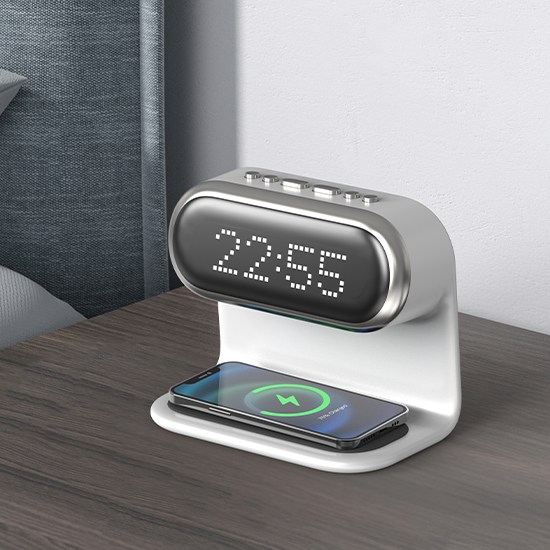
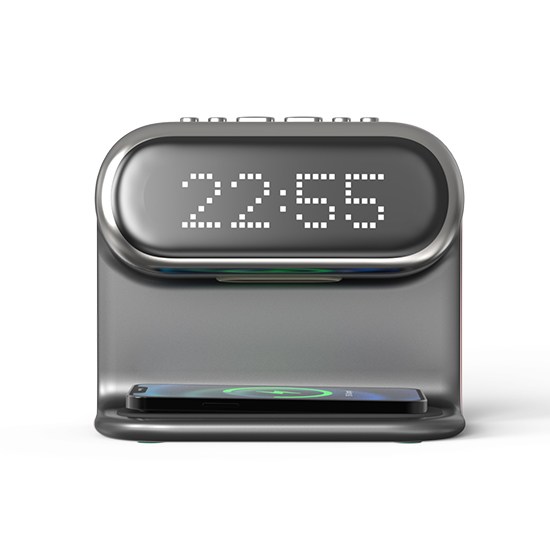
The Huazeng HZ-H17 Bluetooth speaker combines Bluetooth audio, a white noise feature and wireless charging in one bedside product. In a sample trial, check whether the onboard sound can be selected from the unit alone and record the exact steps. Then confirm which phone placements and conditions are supported for charging in your target configuration.
Repeat From a Previously Paired Phone
Pair the speaker using the intended process, stop streaming and choose the onboard sound. Bring the paired phone back into range. Observe whether the existing sound continues, pauses or is replaced when the phone connects. Try an ordinary media action such as playing a short track or podcast and then return to the local sound.
Perform this check with the phone the sample team uses and one other representative handset if the range is intended for broad retail distribution. Record the phone, software version and what the speaker was doing when the change began. A consistent method helps the supplier interpret a report that audio changed unexpectedly after reconnection.
Compare the Bedside Controls Across Formats
Check all functions with the display or indicator set as it would be in the room. Note whether the user can find volume and source without turning the product around. If an alarm or a clock is part of the product story, test how its controls are distinguished from the audio controls.
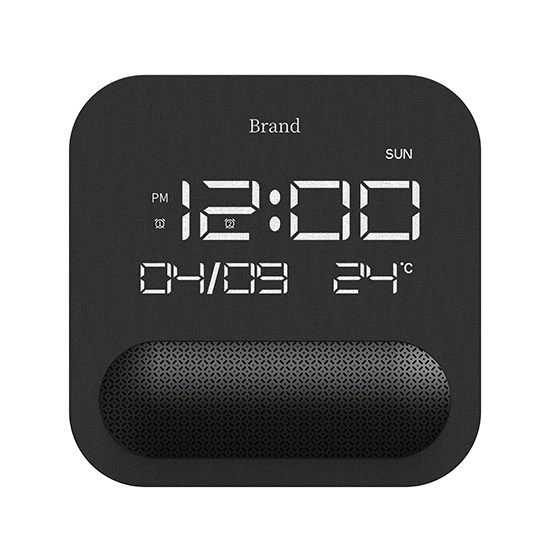
Huazeng Technology’s HZ-B409 Bluetooth alarm-clock speaker is a separate configuration to consider when the clock is the primary selling feature. The model identifiers and functions should stay clear on shelf and in training materials. If you compare it with the HZ-H17, give each unit its own approved feature list and recording of the normal source change.
Record the Result After a Restart
Choose the sound and volume the user would expect to hear in the evening. Restart using the ordinary controls and observe what the unit does, including what it displays. If the demonstration uses an outlet or charger, follow the supplier’s instructions for the test. Record which choices persist and what the user has to select again.
Use those results to write the store demonstration. Show the action that starts the local sound, the call to switch to phone audio and the action to return. A short and accurate demonstration is more useful than a collection of icons. Keep the source behavior with the approved version, especially if hardware or firmware changes later.
Also try the controls at the lowest volume the sample team considers useful. The difference between a button prompt and the programmed sound can be more noticeable at that level. Record the ordinary behavior before deciding which feature to demonstrate first. Packaging can then describe the tested choices with enough detail for a customer to reproduce them. Use one short example to show the sequence alongside the feature icons, using the controls the customer will see on the product.
Conclusion
Approve a white noise Bluetooth speaker by watching how it moves between local sound and phone audio. Check reconnection and restart with the same configuration the store will receive. Bring the intended bedside routine to Huazeng Technology’s sample team when discussing the product line and packaging.
FAQ
Q: Does a white noise Bluetooth speaker always need a phone?
A: A model with an onboard sound feature may be able to play that sound without streaming. Confirm how the exact sample starts the sound and whether it is available with the paired phone away. The retailer should use those tested steps in its demonstration and instructions.
Q: What should happen when a paired phone reconnects?
A: Confirm the expected behavior with the supplier and observe the actual unit while the built-in sound is active. Keep a record of what happens on connection and when the phone starts media. Check whether the user can return to the previous source using the intended controls.
Q: Should charging be tested during the audio check?
A: If the model includes wireless charging, try it with a supported phone in the planned placement while assessing the normal audio controls. Record which configuration was tested and whether the charging indicator is clear. Check the manufacturer’s guidance for the specific device and any accessory used.
Q: How can a retailer compare models with different bedside features?
A: Define the routine each model is meant to serve. Review sound selection first on the white noise model and check the display and alarm controls on a clock-oriented option. Record the features that belong to each exact model before writing packaging copy or a store staff guide.
Q: What information is most useful if the sample changes source unexpectedly?
A: Record the selected sound, phone model, pairing state and the action that immediately preceded the change. Say if the unit was also charging or had just restarted. A short recording that shows the buttons and the order of events can make the result easier to reproduce.


