

Clip-On Desk Fan Mounting for Retail Displays
Time : Nov 26, 2026 View : 13
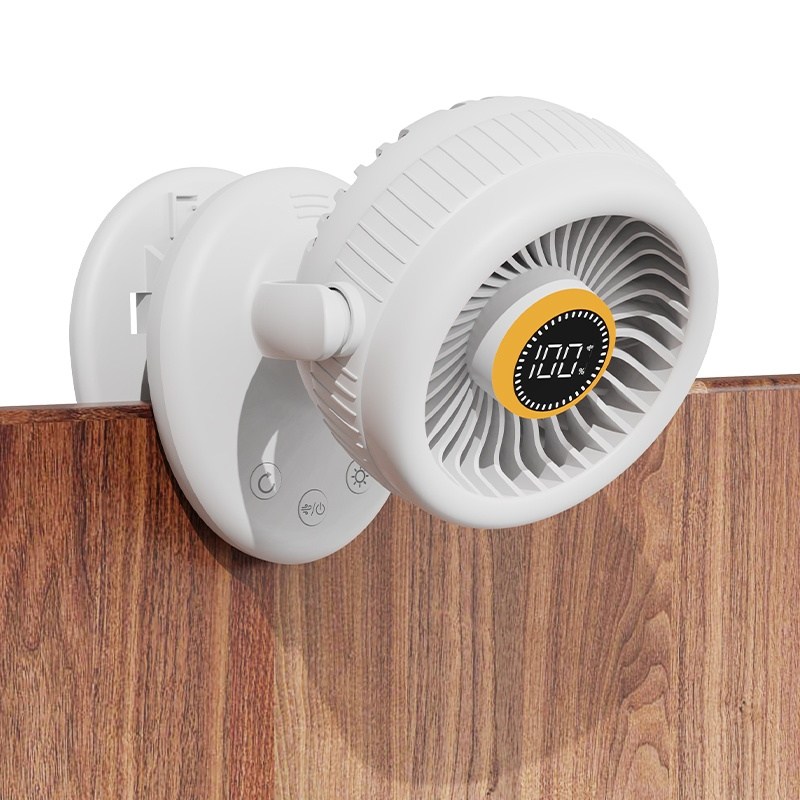
A clip-on desk fan should hold its position on the types of edges shown to the shopper, with enough clearance to direct the airflow. For a retail range, test a square desk edge, a rounded edge and the actual display fixture if you plan to demonstrate the clip in store. Check how much of the jaw makes contact and whether the fan moves when its angle is adjusted.
A compact fan may run quietly and deliver a comfortable breeze on its stand. On a shelf, the same angle adjustment can twist the clip or bring the fan head close to an object behind it. The retailer benefits from trying the mounting and running functions together.
Give the Clamp Real Edges to Hold
List the surfaces the package will show and measure them with lips, trim and rounded edges included. A dimension from the center of a shelf leaves out its rounded leading edge. A clamp may fit over that edge but touch mainly along one narrow band. Observe where the pads meet the surface once the clamp is seated.
Use a fixture similar to the shelf or desk intended for a demonstration. Check whether a customer can put the fan on and remove it without squeezing the clamp into a gap they cannot see. If the grip behaves differently on two surfaces with the same thickness, capture the surface profile in the sample record.
Try the Clip-On Desk Fan in Both Modes
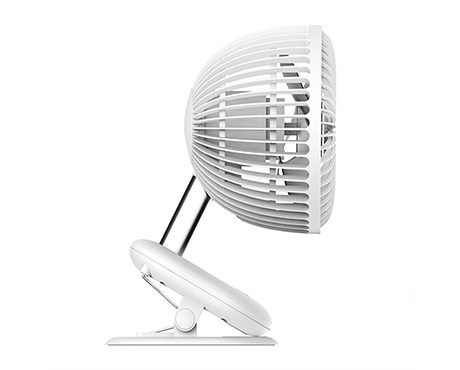
Huazeng Technology’s HZ-Z11 two-in-one clip-on desk fan can be evaluated in base and clip configurations. On a desk, move it through the range of positions a buyer would use beside a monitor or paperwork. On an edge, watch the base as the fan head is adjusted. Confirm that the body and cable have room in the position you show on the pack.
Run the sample at its available settings in the proposed mount. Look and listen for visible movement or vibration transmitted through the shelf. A shelf that resonates can make a demonstration sound different from tabletop operation. Retest on the intended surface before assuming the noise comes from the fan itself.
Leave Room for the Head to Move
Use a fixture with objects in the ordinary positions. The display card, shelf upright or stock behind the fan can limit where the air can be directed. If the fan has an oscillating mode, observe the path from end to end. Check whether a shopper can see the controls when the fan is mounted in the position pictured on the pack.
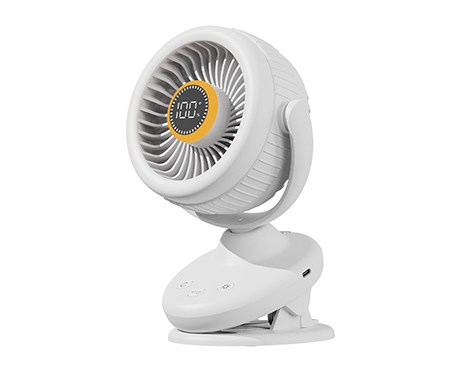
Huazeng Technology’s Z3 clip-on circulation fan gives buyers a second format to assess when movement of the head is useful. Compare models in the positions customers are likely to use. A small fan for a fixed edge and an oscillating fan for a work area can each fill a predictable role in the assortment.
Make the Packaging Match the Demonstrated Fit
Choose photographs that show the jaw and the actual edge shape. If your instructions give a supported mounting range, check it from a production sample and agree it with the supplier. Show tabletop use separately if the product offers it. A shopper can then see where each mode fits without assuming that any sufficiently thin edge will do.
For store demos, keep the cable supported so it does not tug on the fan during ordinary handling. Record the fixture details in the display instructions. If stores use different shelf profiles, include the alternatives that were checked. Managers can then use the same demonstration in stores with comparable shelving. Ask staff to record any fixture that differs from the approved examples before changing the setup.
Ask someone who did not take part in the sample review to set up the display. Give that person the planned instructions and observe whether the position shown in the photograph makes sense with the shelf in front of them. If the clamp would mount differently on a representative store fixture, update the example or provide a tested fixture detail before rollout. Keep the accepted arrangement with the visual materials for the launch.
Conclusion
Choose a clip-on desk fan with the shelf or desk edge in front of you. Test positioning, clearance and vibration in both intended modes before choosing the packaging images. Share the proposed fixture profile with Huazeng Technology’s product team when requesting samples for a retail line.
FAQ
Q: Is clamp opening enough to judge whether the fan fits?
A: Opening gives an initial size check. Look at how far the jaws seat and where the pads contact the surface. A round edge can produce less contact than a square edge of similar thickness. Use the actual profile intended for the product trial or display.
Q: Should the sample be tested on a light shelf?
A: Yes, if that shelf represents likely use. It may transmit more sound or vibration than a solid bench. Compare the same settings on both surfaces and observe the clamp. Record what changes after moving the fan so the supplier can discuss the relevant sample condition.
Q: How can retailers demonstrate two-in-one use?
A: Show the fan on an approved surface in tabletop mode and on an approved edge in clip mode. Make both positions easy to recognize. Keep the cable and nearby cards away from the movement of the head. Use the same placements when training store staff.
Q: What should buyers check on an oscillating model?
A: Observe the complete travel in the intended location and check the gap beside and behind the fan. Confirm that controls remain accessible, and record whether the mount moves as the head travels. Repeat that check on each edge type planned for the demonstration.
Q: What mounting details belong in a supplier brief?
A: Share the edge profile, dimensions, available space behind the clamp and photos of representative surfaces. Include how the fan will be powered or charged while displayed. State which modes you plan to illustrate so the supplier can send samples with the relevant features.


